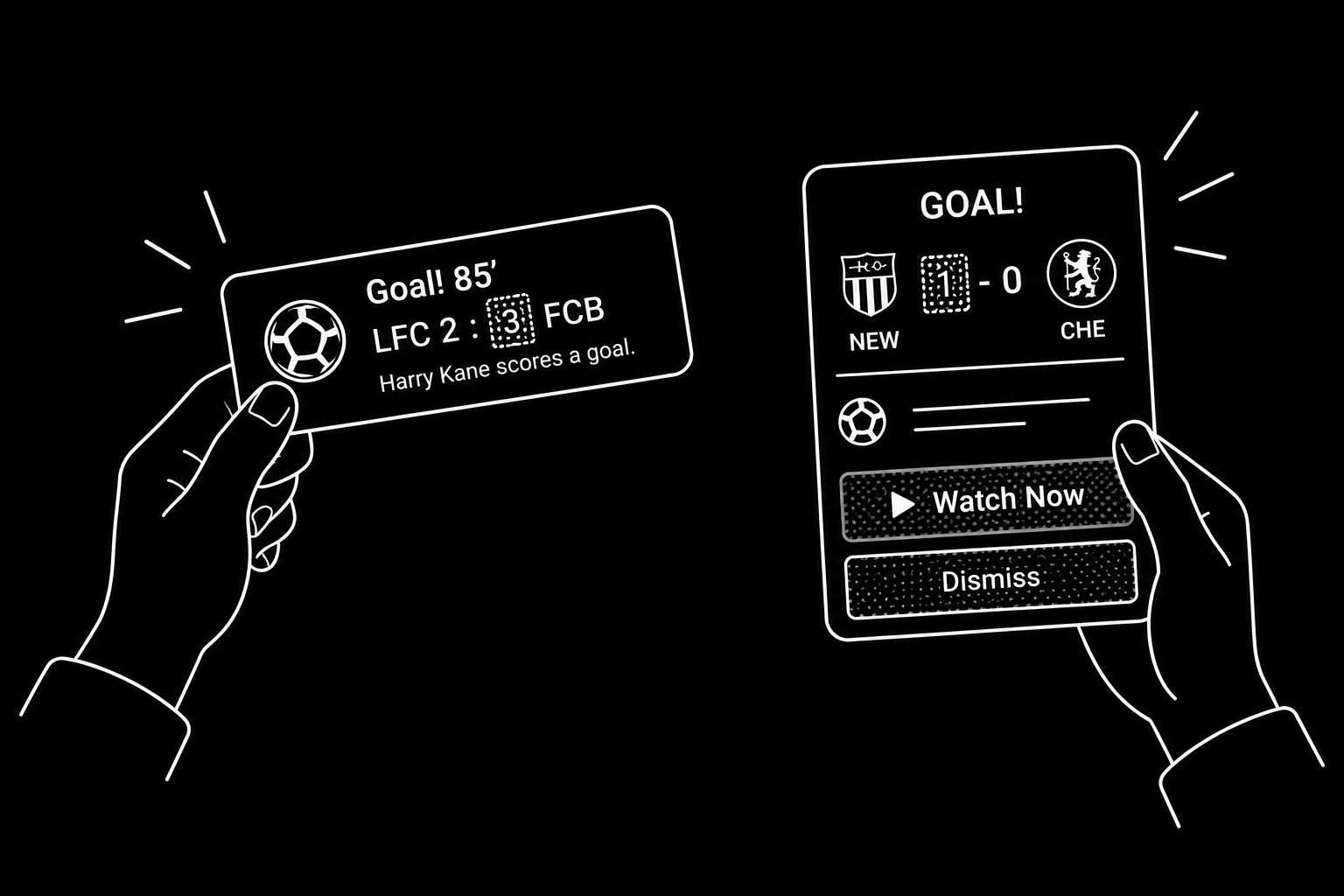
Event Alerts
Real Time Video Notifications
Index
Same Problem, Two Solutions
Seamless News
Ready, Set, Go!
01/05 Event Alerts

About
Same Problem, Two Solutions
Design an in-player sports alert experience that delivers timely, unobtrusive updates and scales to future use cases.
I led the design, guiding designers and partnering with Product and Engineering to deliver a cohesive experience.
Discovery +, Max (currently HBO Max)
TV, Mobile & Web
Phase 1 and 2 for Discovery +,
Phase 2 for Max
Sports, Player
EMEA, AMER
Max Example
Champions League Example.
A user is watching Manchester City vs. Real Madrid on TV when a goal alert appears in the top right corner of the screen.
The alert announces that Kvaratskhelia has scored, making it 2-0 in favor of Paris Saint-Germain against Stade Brestois 29.
The user presses the alert and is taken to watch the goal,
After that user invokes player controls to d-pad up and key presses okay in Go Live button to watch in live second match.
Discovery+ Example
Premiere League Example.
A user is watching Manchester City vs. Tottenham on TV when a goal alert appears in the top right corner of the screen.
The alert announces that Raheem Sterling has scored, making it 0-3 in favor of Chelsea against Newcastle.
The user presses the alert and is taken to watch the goal, then decides to return to the previous match by pressing the floating "Back to Previous" button in the bottom left corner of the screen.
02/05 Event Alerts
Problem Space
Seamless News
2.1 Business Goals
1. Increase Engagement
Drive deeper interaction through a richer, more immersive player experience.
2. Optimise Content Discovery
Reduce friction between users and relevant content in the catalogue.
3. Drive Conversion to Related Events
Move users naturally toward content that matches their sport interests.
4. Reduce Long-Term Churn
Build habitual return behaviour by keeping the product consistently relevant.
Each goal feeds the next one so it is what Melissa Perri and Jeff Gothelf would call this a well-structured outcome stack.
“UX projects should be defined by business outcomes, not deliverables.”
Jeff Gothelf & Josh Seiden — Lean UX and Outcomes Over Output
2.2 User Needs
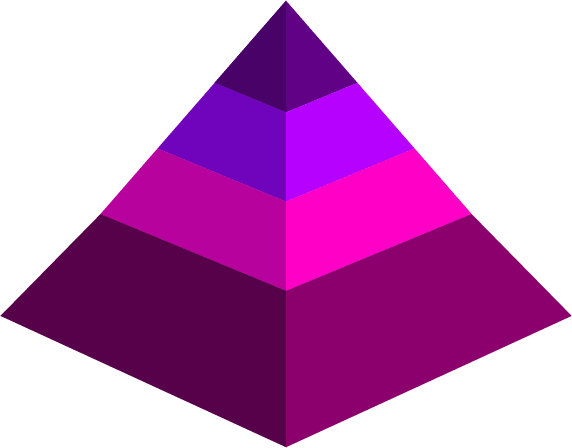
Using Aaron Walter’s hierarchy as a framework, we define Event Alert needs from functional and reliable to usable and pleasurable, driving engagement and loyalty.
PLEASURABLE → Personalized, timely, contextual, engaging
USABLE → Glanceable, configurable, one-tap switching
RELIABLE → Consistent, timely, spoiler-safe, resilient
FUNCTIONAL → Real-time, uninterrupted, accessible, cross-device
2.3 Challenges
In general, for notifications, platforms easily reach levels 1–2 (functional + reliable), but struggle at level 3 (usability) and rarely reach level 4 (pleasurable).
The real opportunity lies at the intersection of usable and pleasurable—making users feel the platform understands their passion for the game.
The real opportunity is:
How Might We create the most enjoyable experience with the least intrusion?
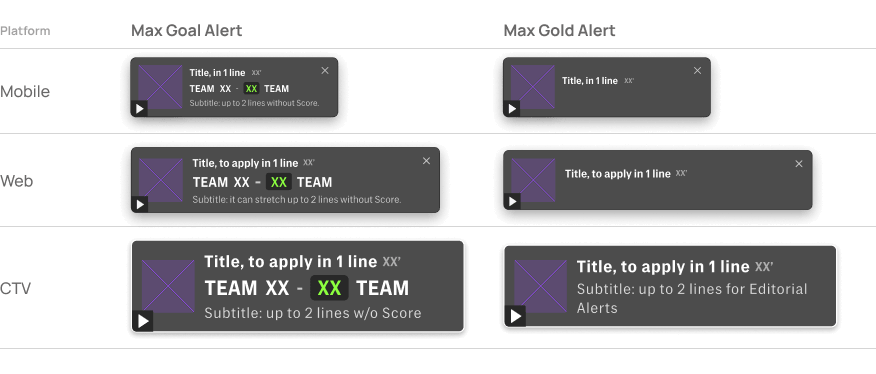
2.4 Alerts Component by Project
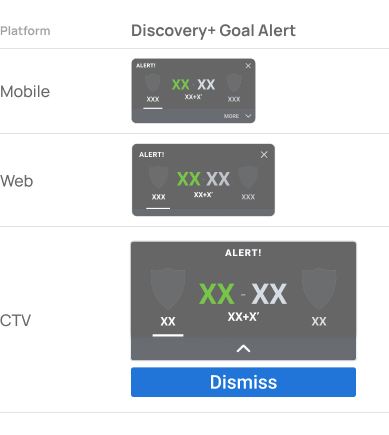
Across both platforms, we explored key design questions around alert limits, timing, dismissal, navigation, content hierarchy, interactions, error states, and Design System needs.
03/05 Event Alerts
Discovery+
Ready, Set, Go!
The feature launched on Discovery+ with Goal Alerts for TNT Sports’ Champions League coverage, with future implementations including Paris 2024.
3.1 Discovery+ Context
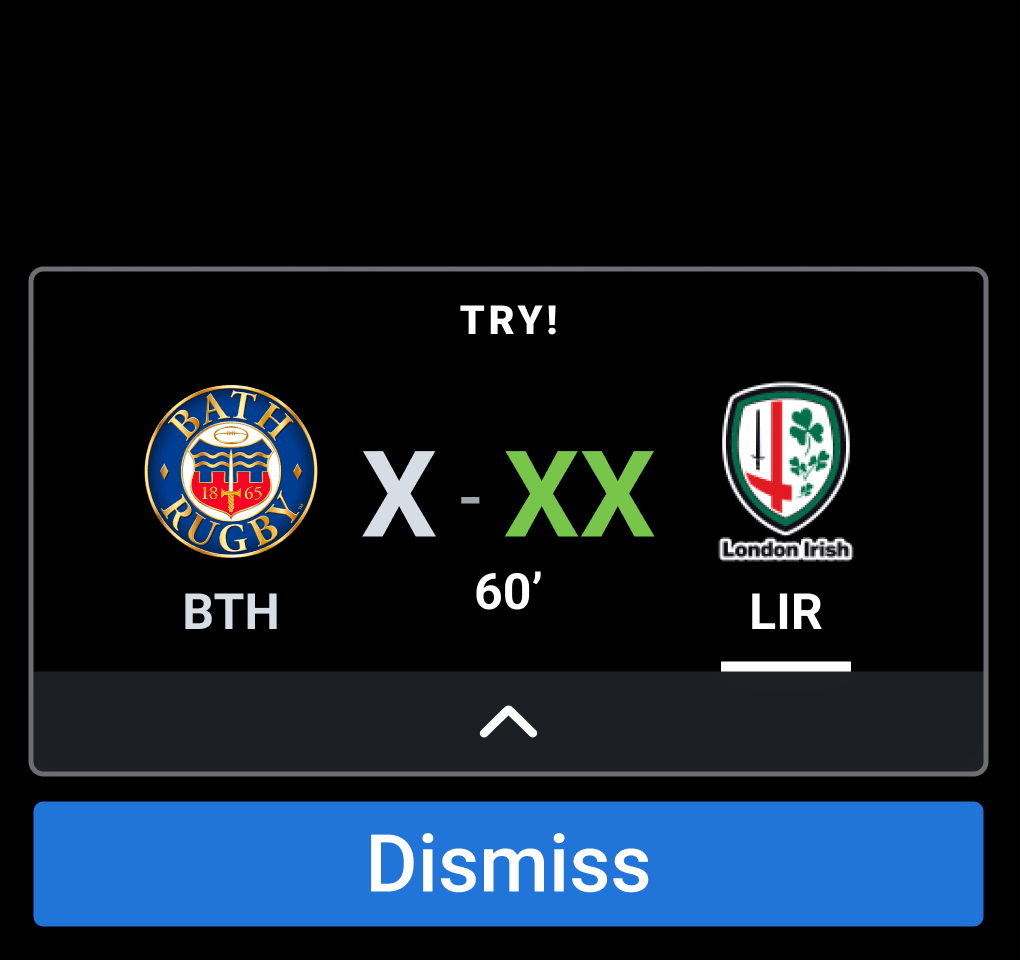
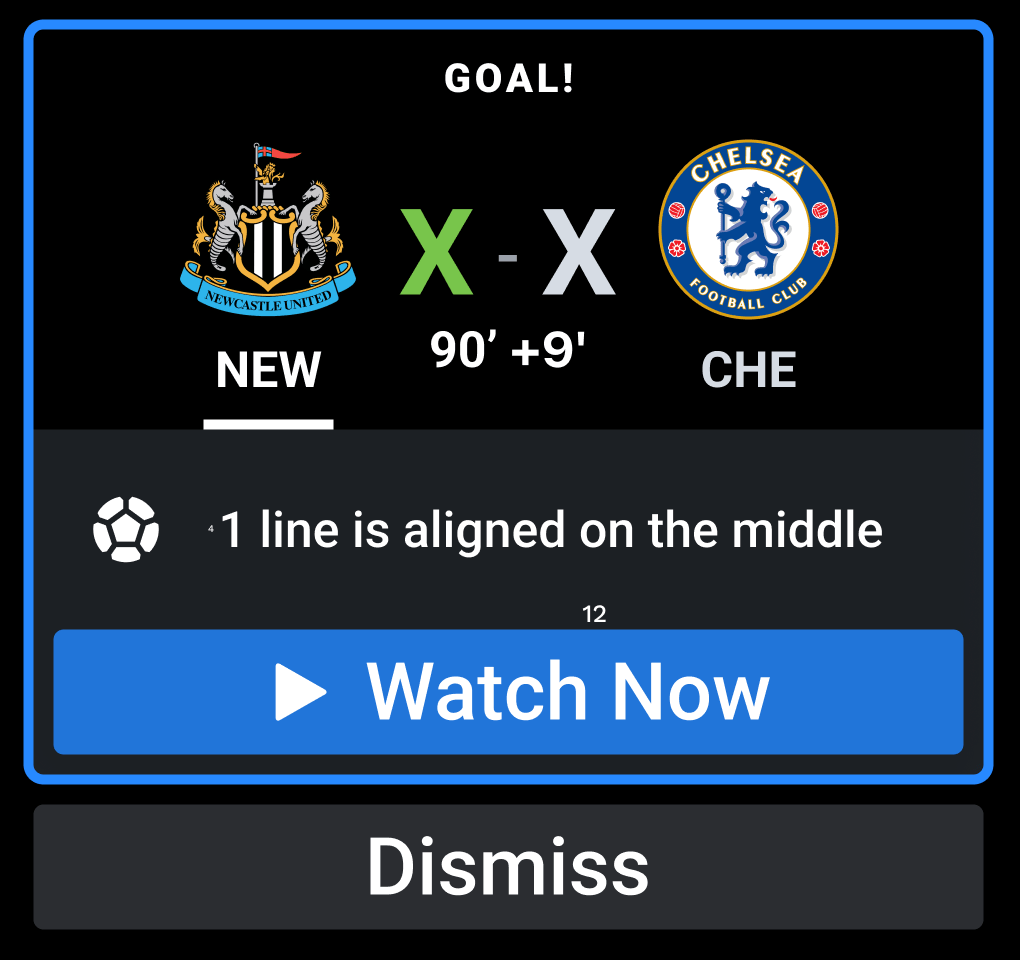
Goal Alert On Focus, TV Discovery+
Goal Alert Default, TV Discovery+
One clear insight was that some users requested the ability to turn off alerts, which made this an important consideration from the outset of the design process.
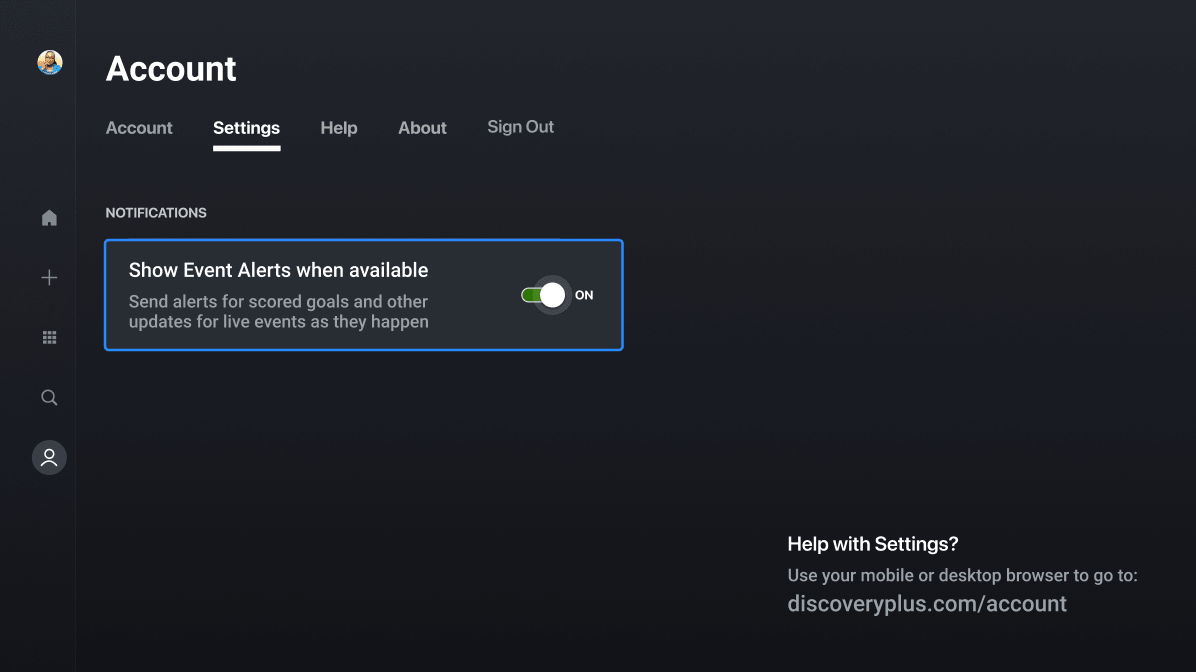
3.2 Discovery+ Design
User Scenario: One Alert
As a user watching a live football match during Champions League, I want to be notified when a goal is scored in another match being played at the same time, so I can stay informed about other key moments without leaving the match I'm watching.
User Scenario: Return to Previous Video
As a user watching a video from an alert, I want the ability to return to the previously viewed video so that I can continue watching my original match selection.
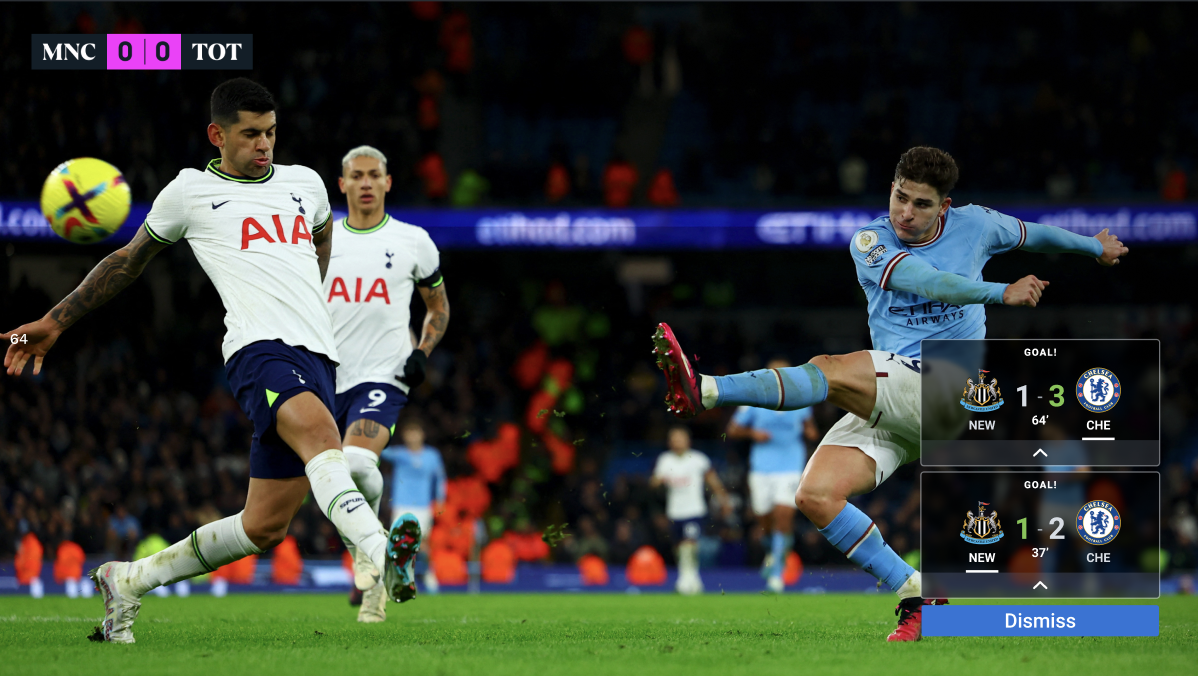
User Scenario: Two Alerts
As a user watching a live football match during Champions League, I want to be notified when multiple goals are scored in another match being played at the same time, so I can stay informed about other simultaneous key moments without leaving the match I'm watching.
3.2.1 Alerts Design
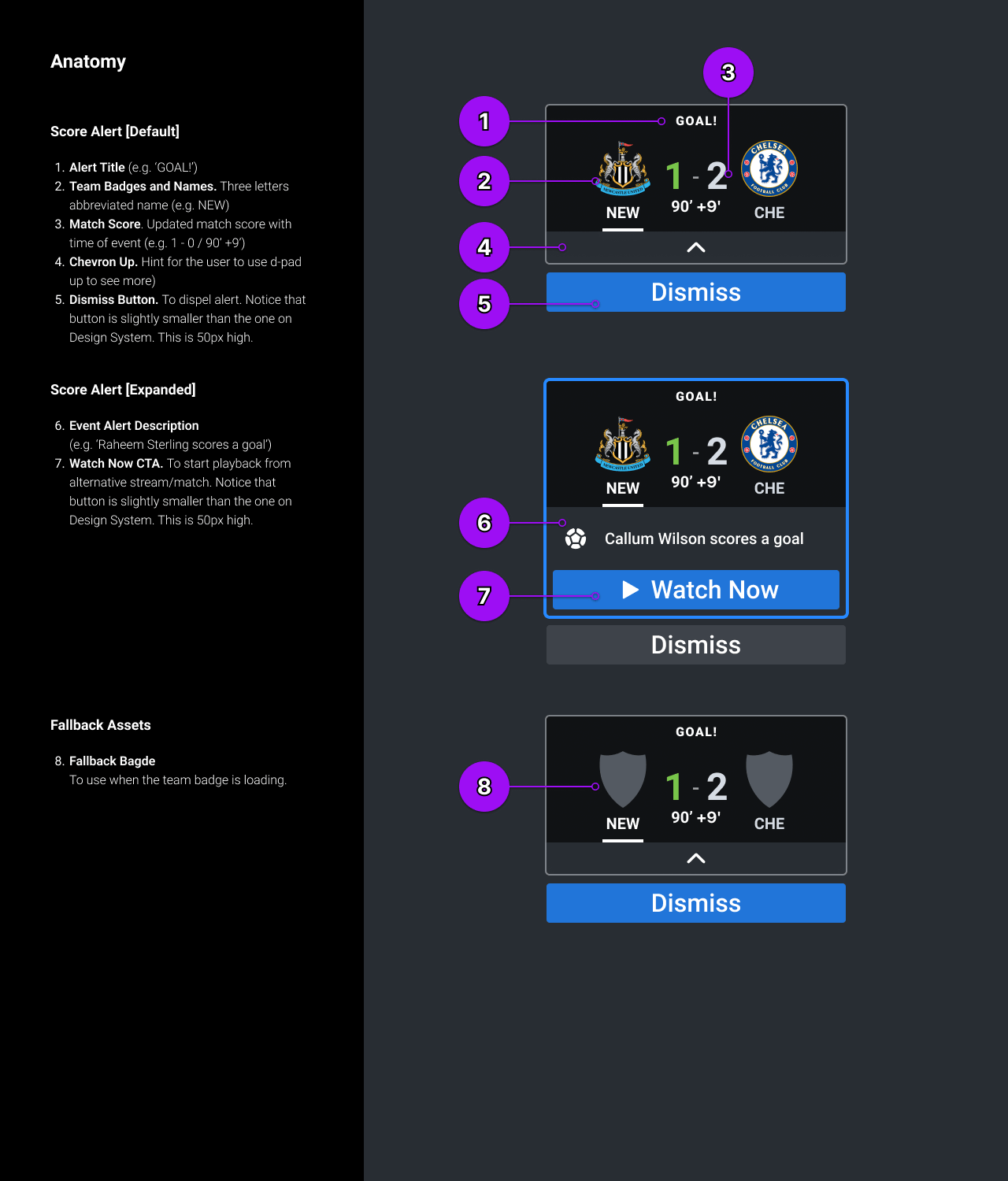
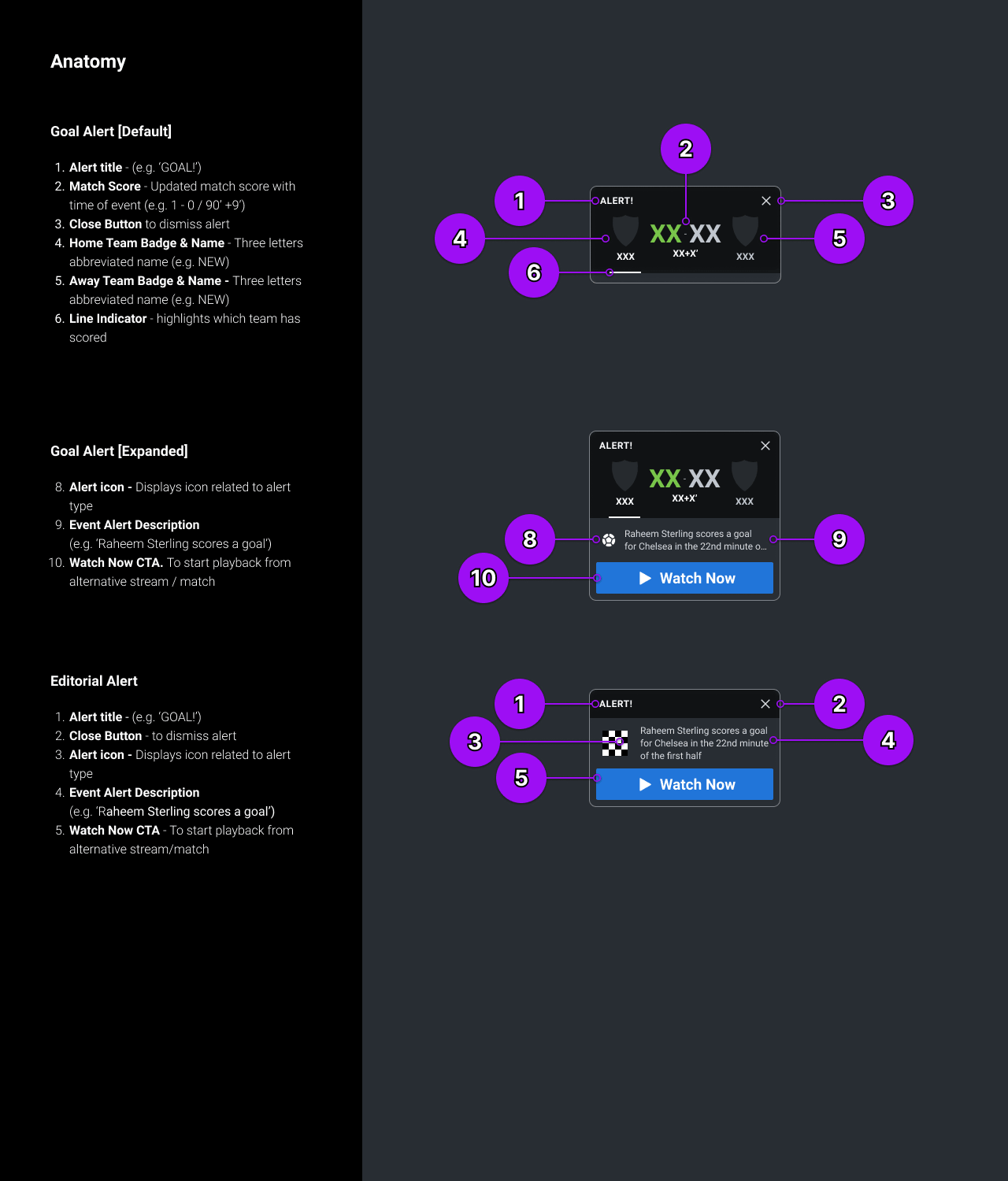
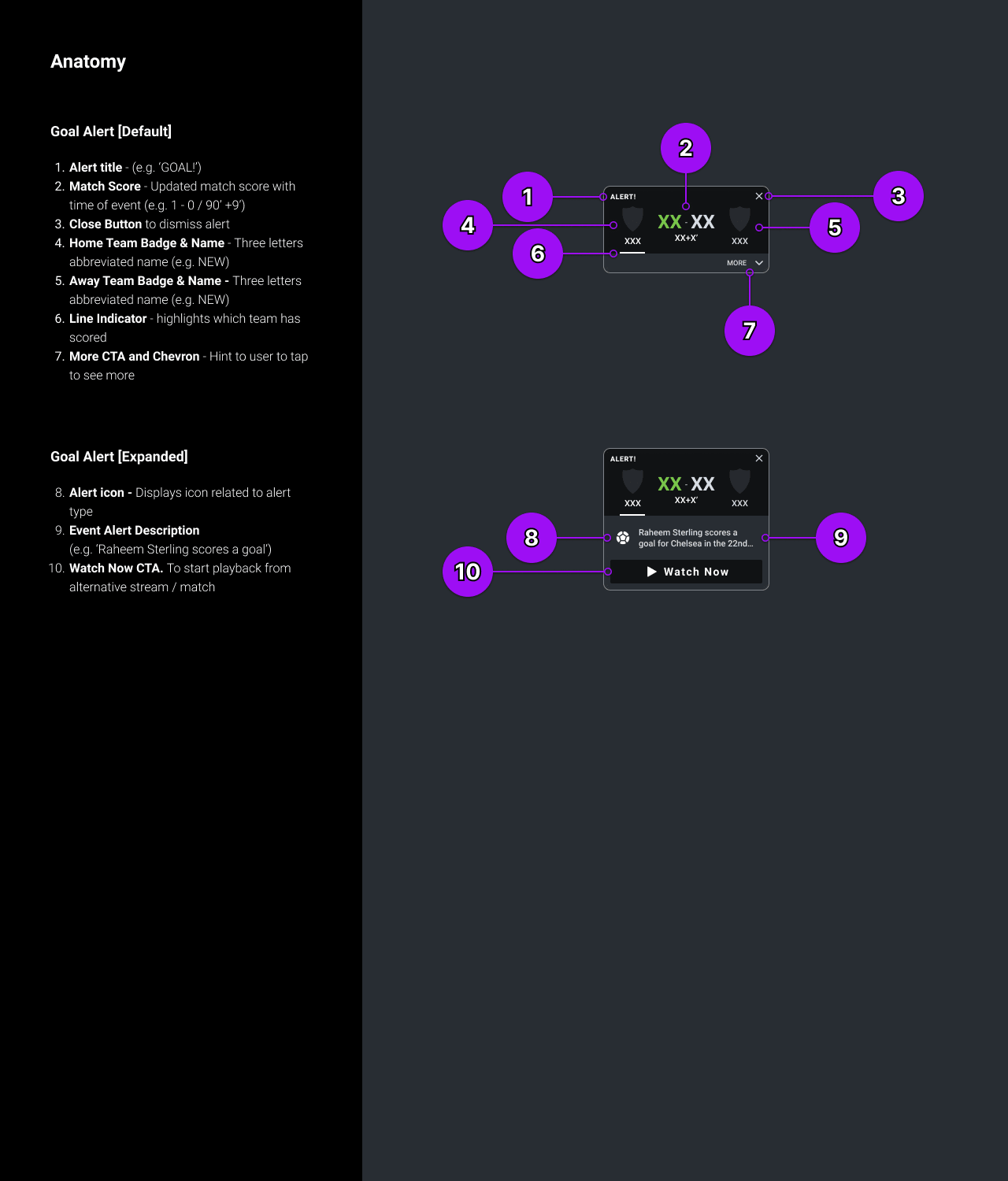
A Snapshot from Android Specs
A Snapshot from Web Specs
A Snapshot from CTV Specs
3.2.2 UI Motion Specs
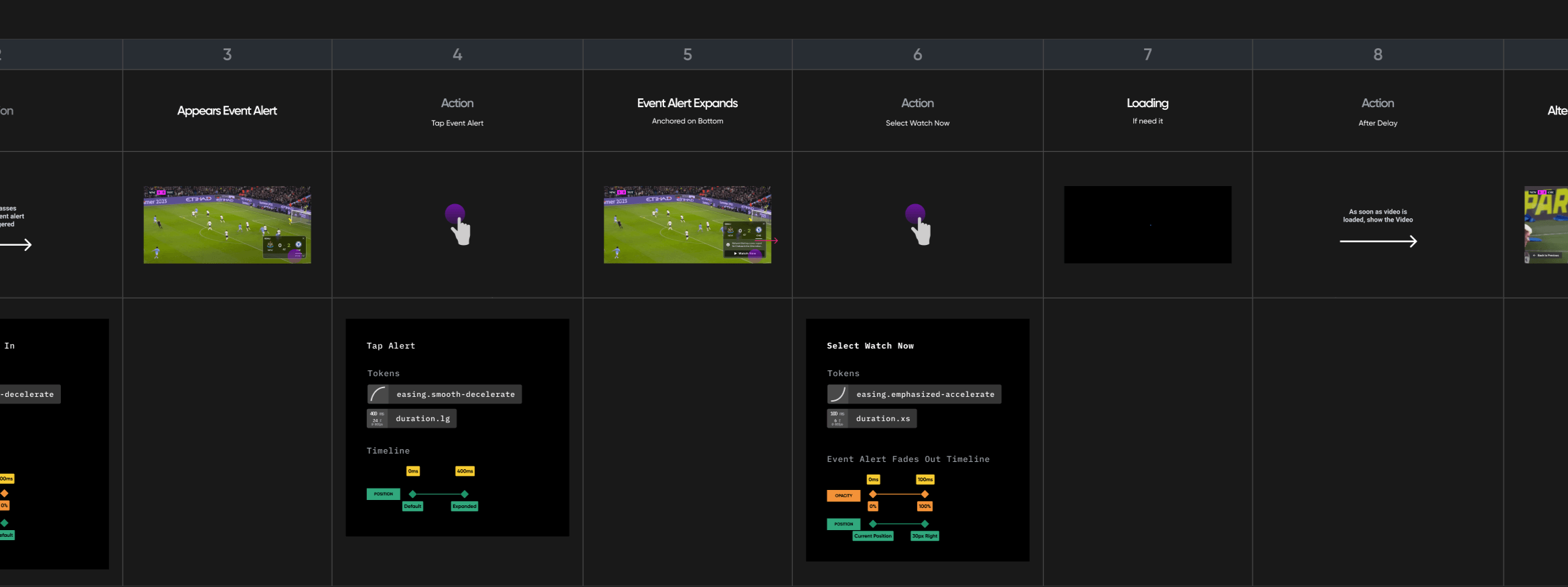
Mobile Motion Specifications: A Closer Look
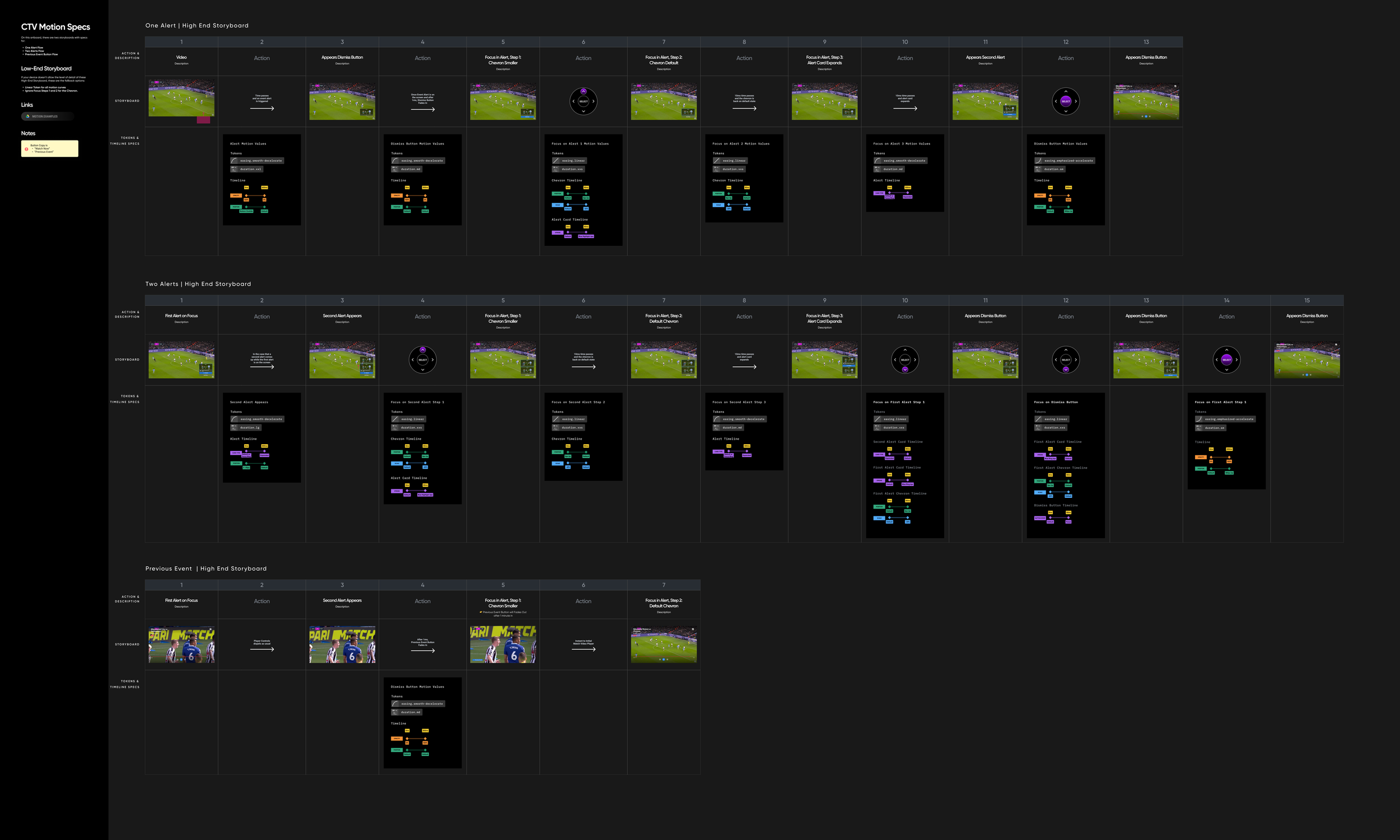
CTV Motion Specifications
Internal Process Improvements
Engineers responded positively to the motion specs, which combined storyboards, transitions, and numbered steps to make implementation clearer and more efficient.
3.3 Discovery+ Launch
Goal Alerts launched successfully on Discovery+, with reliable performance, encouraging engagement, and a low opt-out rate (<5%).
UX research showed alerts were useful and non-intrusive, encouraging multi-game engagement. Key opportunities included clearer CTAs, simple navigation, visible controls, better filtering, and optimized placement.
“I might use it if I want to flick between events very quickly.”
p7, d+ TV, UK
“It doesn't give me any grief that they appear and might pique my interest to switch to a sport I may not have considered watching.”
p10, d+ TV, UK

04/05 Event Alerts
Max
Maximizing the Viewing Experience
4.1 Max Context
I joined Max in Phase 2, expanding Gold Medal Alerts into Score Alerts and TV, while improving consistency and scalability across devices.
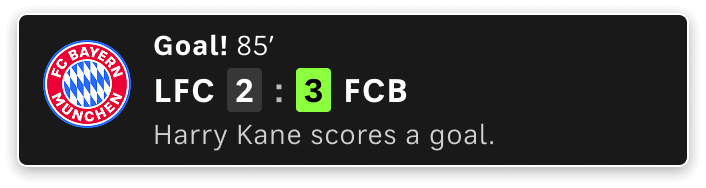
Score Alert Default, TV Max
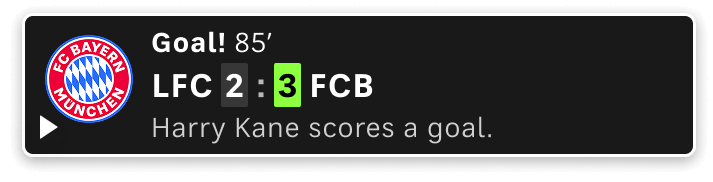
Score Alert On Focus, TV Max
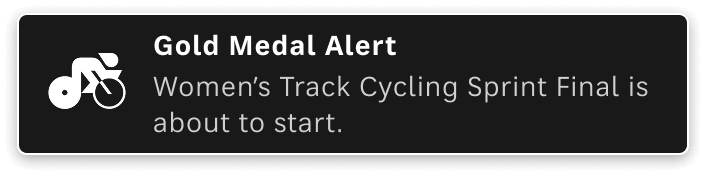
Gold Alert Default, TV Max
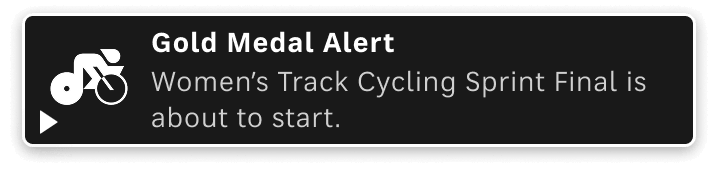
Gold Alert On Focus, TV Max
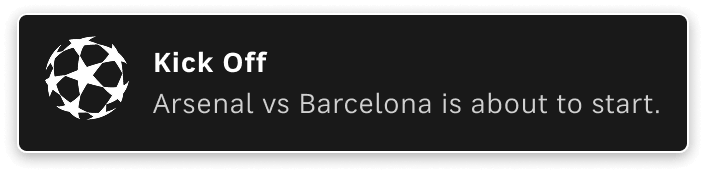
Editorial Alert Default, TV Max
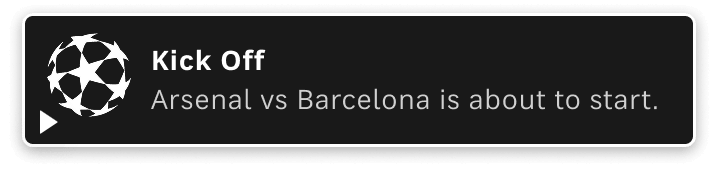
Editorial Alert On Focus, TV Max
4.2 Users Feedback
PERCEPTION
Seen as fun and engaging, helping users discover new sports. (Went Well)
You may not care about certain sports but the gold medal event for it might still be fun. I think it’s so cool. I think it’s really fun to see.”
p13, Max CTV, Denmark

For example, canoe sprints I don't care even if it's a gold medal. But if it’s tennis [favorite sport] and I was watching anything else I would probably click it, yes.”
p14, Max Web, Sweden

USAGE
Participants engaged with alerts and generally kept them enabled.. (Went Well)
Small play icon and unclear personalization caused some uncertainty. (Minor)
[Max] Yes, I understood. Maybe I should have clicked it, but the X here was much bigger than the [play icon] itself, so I just clicked X just to get it away.”
p19, Max Web, France
If it's given when the event is just about to start it makes it even better. Obviously, I don't want to be switching over there and someone has already won the gold or something. That's not useful to me. I want to switch there and see live action of someone about to win.”
p5, d+ CTV, UK
4.3 Max Design
User Scenario: One Alert
As a user watching a live football match during Champions League, I want to be notified when a goal is scored in another match being played at the same time, so I can stay informed about other key moments without leaving the match I'm watching.
User Scenario: Return to Previous Live Video
As a user watching a video from an alert, I want the ability to return to the previously viewed video so that I can continue watching my original match selection.
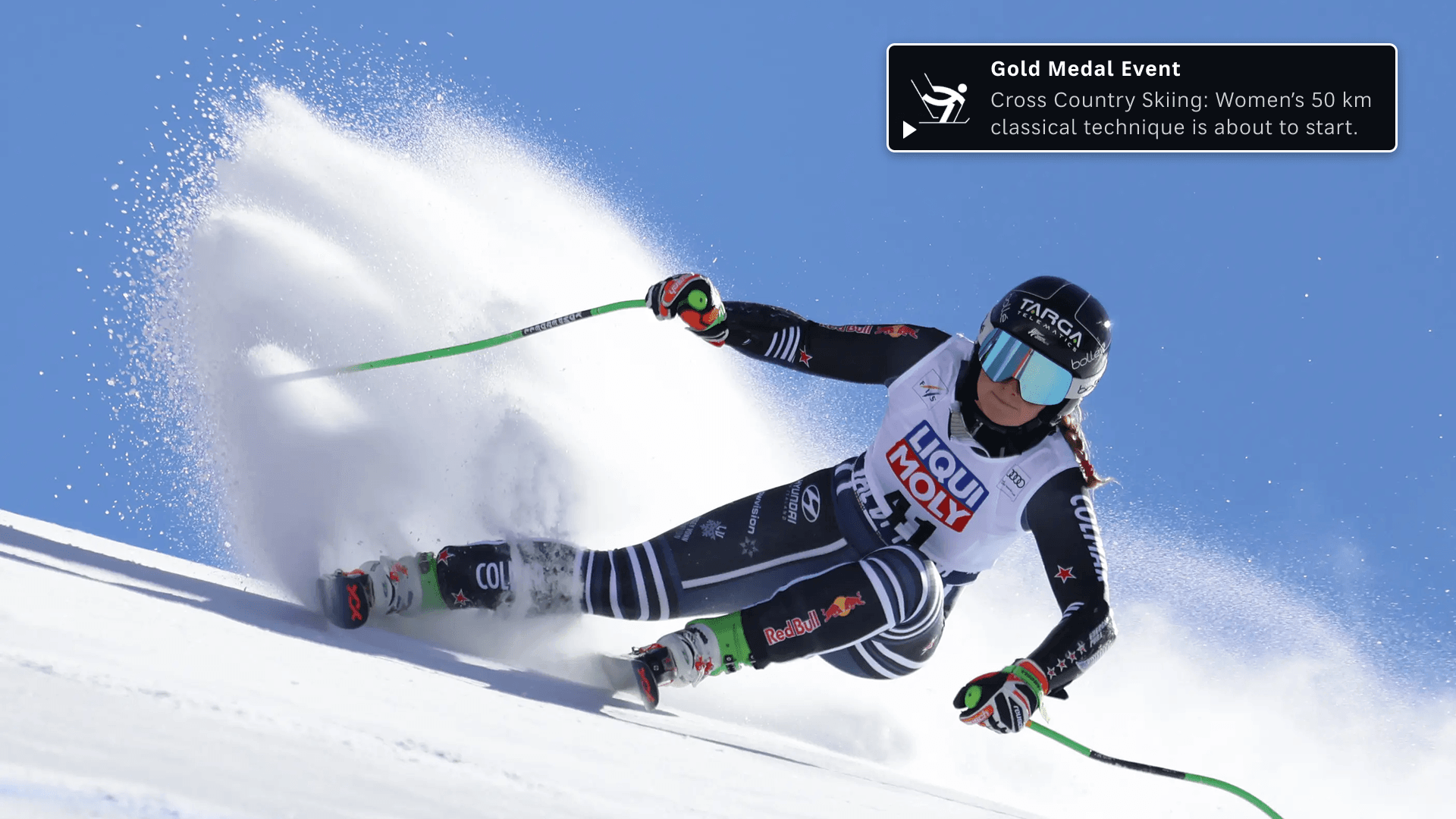
User Scenario: One Gold Alert
As a user watching a live Olympic event, I want to be notified when a gold medal event is about to start, so I can easily jump into key moments.
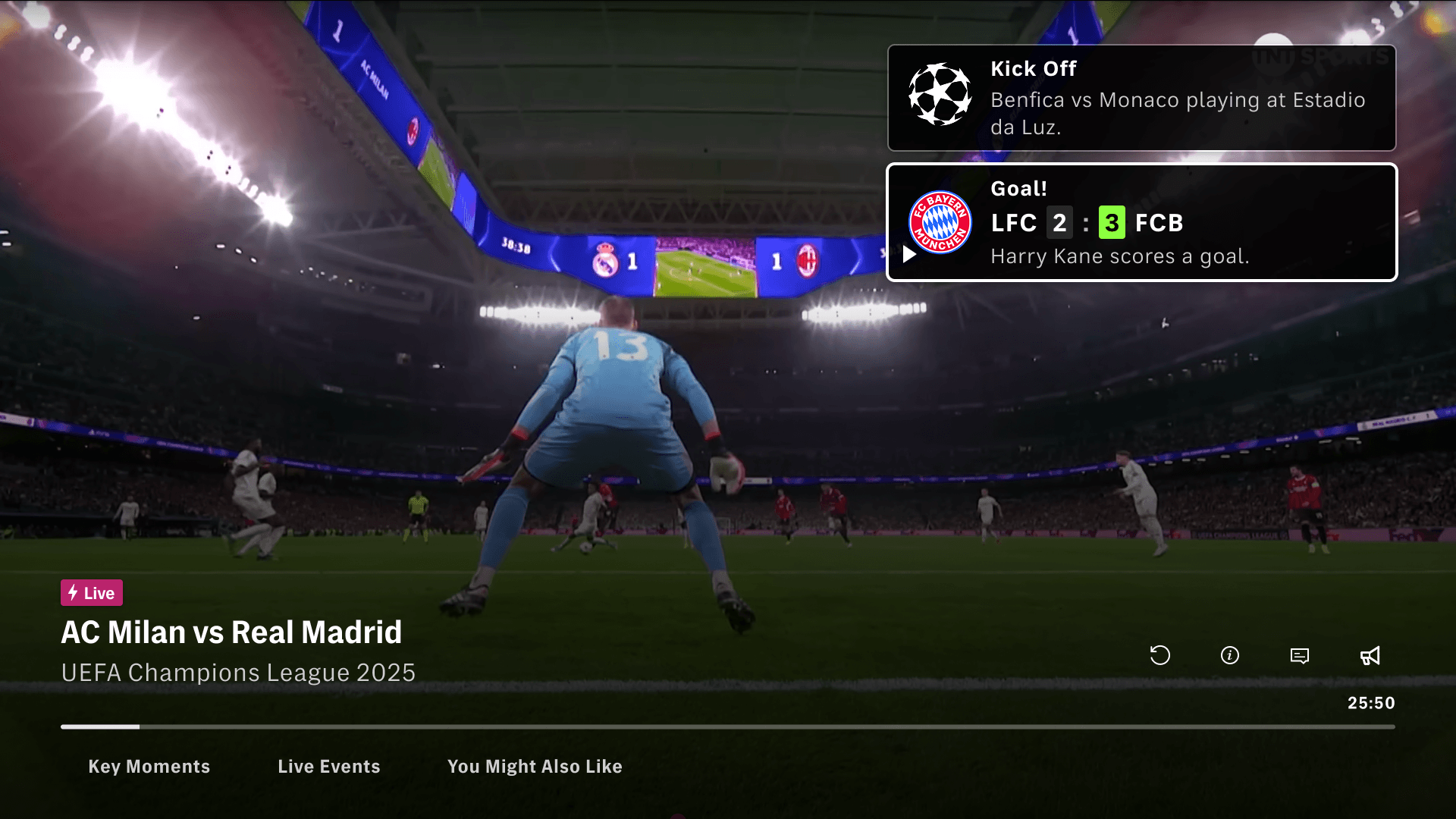
User Scenario: Two Alerts
As a user watching a live match, I want to be notified when key moments happen in other matches in the same league, so I can stay informed without leaving the match I’m watching
4.6 Max Launch
Event Alerts were launched on Max for major events such as NASCAR, Roland-Garros, and the Milano-Cortina 2026 Olympics, alongside other sports features like Multiview and Key Moments. These live events generated valuable learnings for the team.
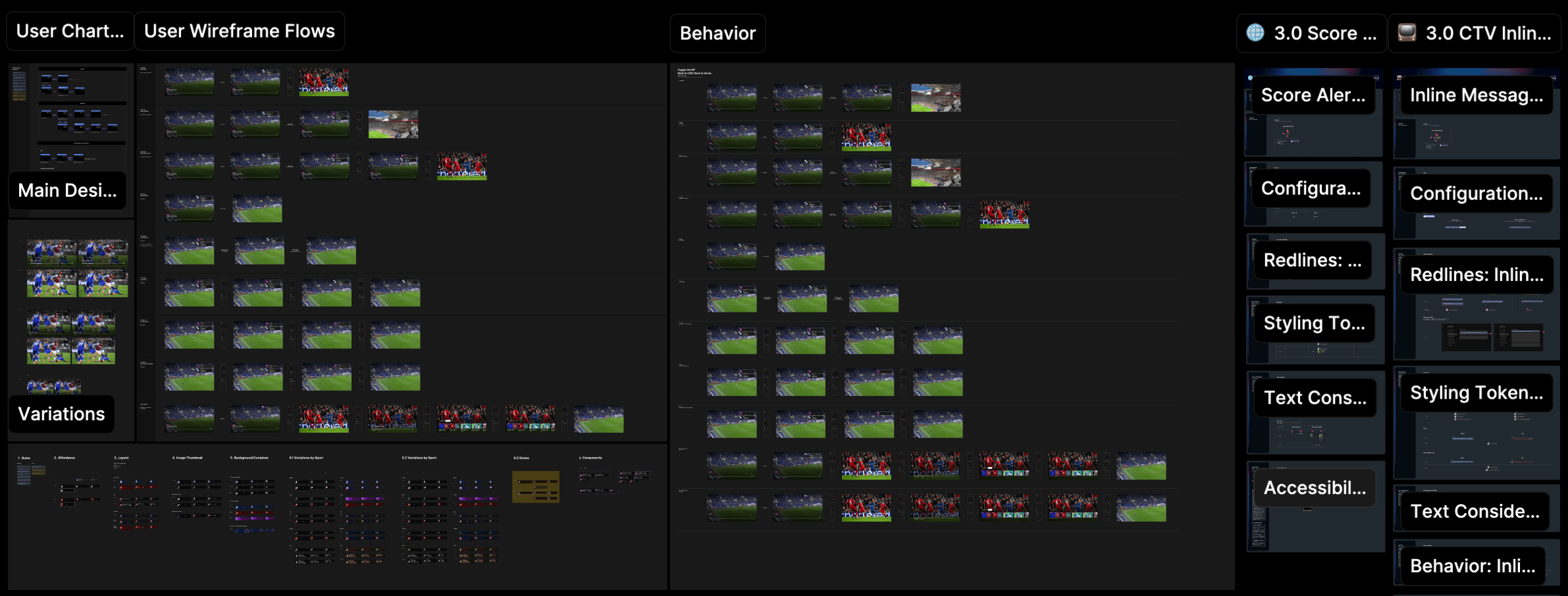
Selected artboards from the project’s Figma file.
05/05 Event Alerts
Conclusion
Unique Products. Unique Moments.